

Back up, clone, and restore files, folders, partitions, and entire disks. Set schedules to automatically make backups every day, week, month, etc. Compress backup data at different levels and split it into blocks of a specified size. Encrypt and protect your sensitive files with a password.
There is no discussion on the importance of keeping at least an extra copy of all our most sensitive personal or business-related data. Performing periodical backups of our files and folders will make us feel more secure in case of system crashes or human errors. That is why tools like AOMEI Backupper Standard exist – it offers you a free solution to keep all your data synced and safe on an external device in an intuitive and simple way.
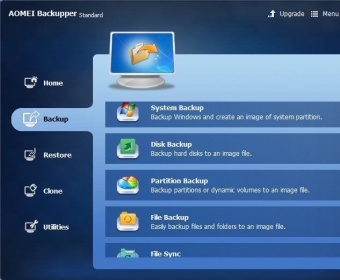
This Standard version is free to use, and while it lacks the wide range of useful tools and functions available in the Professional, Workstation, Technician, Server, or Technician Plus paid versions, it does cover most (if not all) of the backup and restore functionality that home users need to keep their data safe and their minds at ease. Following a current and nearly ubiquitous advertising tendency in the software business, you’ll find utilities and options in the program’s interface that are not available for users of the Standard free version. Some are clearly labeled as “Pro” (i.e., most syncing options) or “Tech” (Create Portable Version), while others refer to external standalone solutions (such as AOMEI OneKey Recovery). more






Comments